Garbled text is often treated as a font problem when the decisive evidence is in the file's bytes. A decoder can turn the same byte sequence into different characters depending on its encoding. Saving a wrongly decoded result can then create a second layer of damage. This workflow preserves the original file, inspects its byte-order mark and tests explicit decoding before committing any rewrite.
Keep the original bytes intact
Make a separate working copy before opening and saving the file in an editor. Record where the file came from and any declared encoding in the export settings or protocol. A filename ending in .txt or .csv does not establish an encoding. An editor's successful display is also an interpretation, so keep its selected encoding in your notes rather than treating the display alone as ground truth.
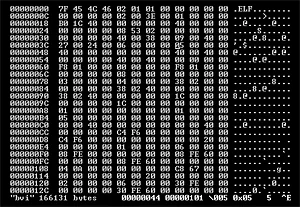
Use the file hex viewer to examine the beginning of the original. The viewer does not need to render text correctly to show the bytes. Keep the file within the tool's documented size limit, and choose a small synthetic sample for initial experiments. Avoid pasting a screenshot of already garbled text when the investigation needs the underlying bytes that produced it.
Recognize three useful signatures
For supported encodings, inspect these leading byte sequences:
EF BB BF    UTF-8 byte-order mark
FF FE       UTF-16 little-endian mark
FE FF       UTF-16 big-endian mark
A UTF-8 file can be perfectly valid without a BOM. Absence of these signatures therefore does not establish a legacy encoding or a damaged file. Also inspect enough leading bytes to distinguish a longer signature: FF FE 00 00 can indicate UTF-32LE. This site's encoding inspector rejects recognized UTF-32 BOMs rather than pretending they are ordinary UTF-16 input.
The BOM is evidence about an intended representation, not a guarantee that every subsequent byte is well formed. A file can have a recognizable prefix and a truncated final character. Keep signature recognition and decoding success as separate observations in the report. That separation prevents a plausible first three bytes from hiding a problem near the end.
Create a known-answer decoding exercise
Build a tiny file with hexadecimal bytes EF BB BF 48 65 6C 6C 6F. In the encoding inspector's Auto BOM / UTF-8 mode, it should report the UTF-8 BOM and decode the text as Hello. Now make a second file containing FF FE 48 00 69 00. Auto mode should recognize UTF-16LE and produce Hi.
For a big-endian comparison, use FE FF 00 48 00 69. The expected text is also Hi, but the byte order differs. These controlled samples establish the relationship between bytes and characters before you interpret a real export. They also check that a tool has not merely stripped two bytes and assumed that every UTF-16 file uses the same order.
Use strict decoding to expose malformed input
The inspector uses strict decoding. A lone C3 byte is incomplete UTF-8, so it should produce an error rather than silently become a replacement character. An odd-length UTF-16 sequence can likewise be malformed. If the decoder rejects a file, preserve that result and investigate the producer, selected encoding and possible truncation instead of immediately overwriting the file with a tolerant conversion.
Strict success has limits too. Some byte sequences are valid in more than one encoding, and plain ASCII bytes provide little evidence for distinguishing several compatible formats. The tool does not perform heuristic detection of arbitrary legacy encodings. If the producer says the file uses an unsupported encoding, use an appropriate trusted decoder and retain the producer's declaration in the investigation record.
Distinguish bad interpretation from saved damage
Suppose a UTF-8 representation of an accented character is opened under an inappropriate legacy interpretation. The screen may show multiple unexpected characters even though the original file is still recoverable. Closing without saving and reopening with the correct decoding can solve that interpretation error. The original bytes remain the key evidence.
If someone saves the mistaken characters back to a new UTF-8 file, that new file may be valid UTF-8 while containing the wrong text. A decoder cannot know the intended words from validity alone. If the file actually contains the replacement character, its UTF-8 bytes EF BF BD may represent information that was already lost during an earlier tolerant conversion. Return to the original source when possible rather than promising a universal reversal.
Rewrite only after verifying the interpretation
Once the expected text, source declaration and decoding agree, convert a copy with an explicit output encoding. Check representative non-ASCII characters, line endings and any delimiter-sensitive content. Reopen the resulting file using the intended consumer, since a correct standalone decode does not prove that an importer chose the same encoding or preserved the rest of the format.
Keep a short before-and-after record: original hash or filename, observed prefix, selected decoder, strict result and intended output settings. Test one malformed sample alongside the successful examples so error handling remains visible. The goal is a justified interpretation of preserved bytes, followed by a deliberate conversion, rather than repeated saves that make the first error harder to reconstruct.